Invoices
Cancelling an invoice
Cancel a wrong invoice without losing its number, reinstate it, or make a replacement.
Invoices can’t be deleted, because invoice numbers must have no gaps. A wrong invoice is cancelled instead. Only Owners can cancel or reinstate invoices.
Cancel an invoice
- Open the invoice.
- Under Record, choose Cancel invoice.
- Type the reason, for example “Wrong client”, and confirm.
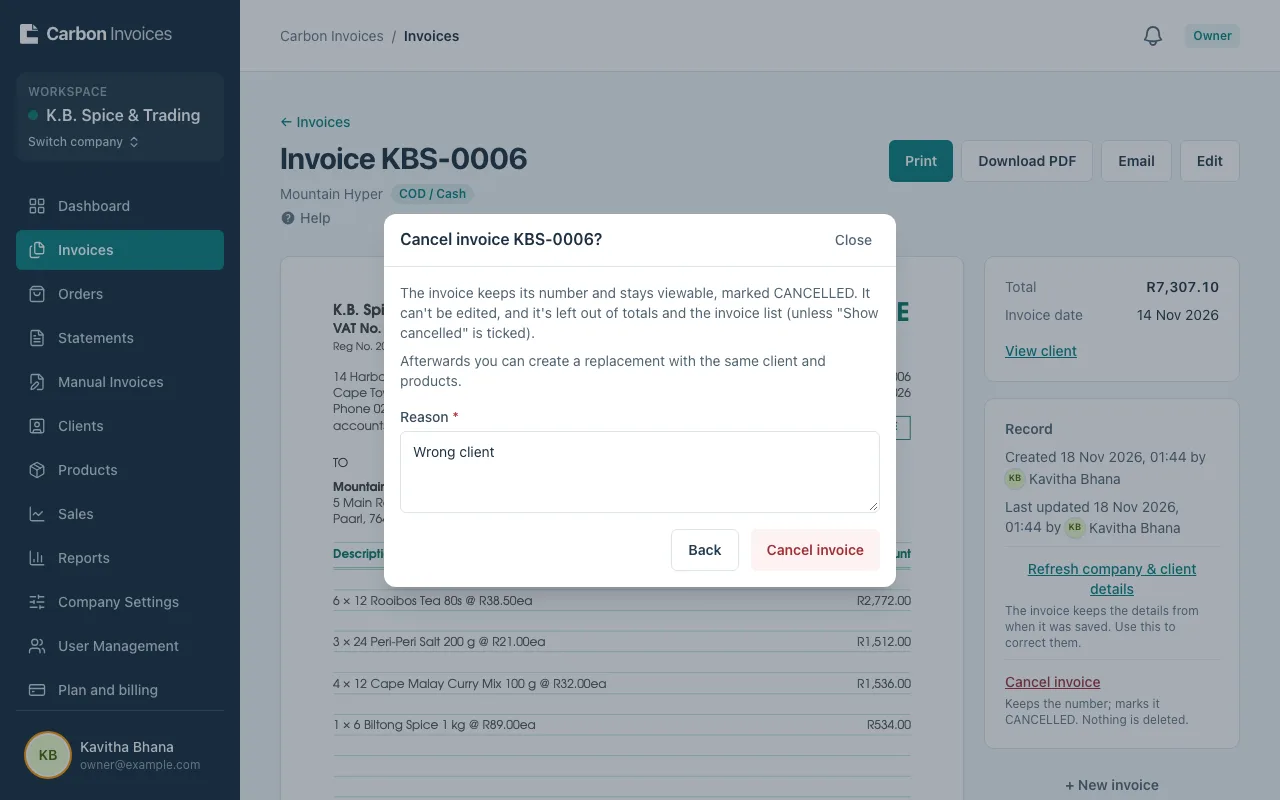
The invoice keeps its number and stays viewable, marked CANCELLED, with who cancelled it, when and why. It can’t be edited, and it’s left out of totals, Sales and the invoice list (unless Show cancelled is ticked). Nothing is deleted.
Cancelled invoices still count towards your plan’s invoices for that month, because their number was used.
Make a replacement
On the cancelled invoice, choose Create replacement. A new invoice opens with the same client and products for you to correct. Choose Create replacement to save it with the next number.
Undo a cancellation
On the cancelled invoice, choose Reinstate invoice. The CANCELLED mark is removed and it can be edited again. The cancellation stays in the invoice’s history.