Statements
Making a statement
Send a client a statement of the invoices you choose, with a remittance slip and your banking details.
A statement lists a client’s invoices and what they owe in total. You choose which invoices go on it. Owners and Users can make statements; bookkeepers can look at them.
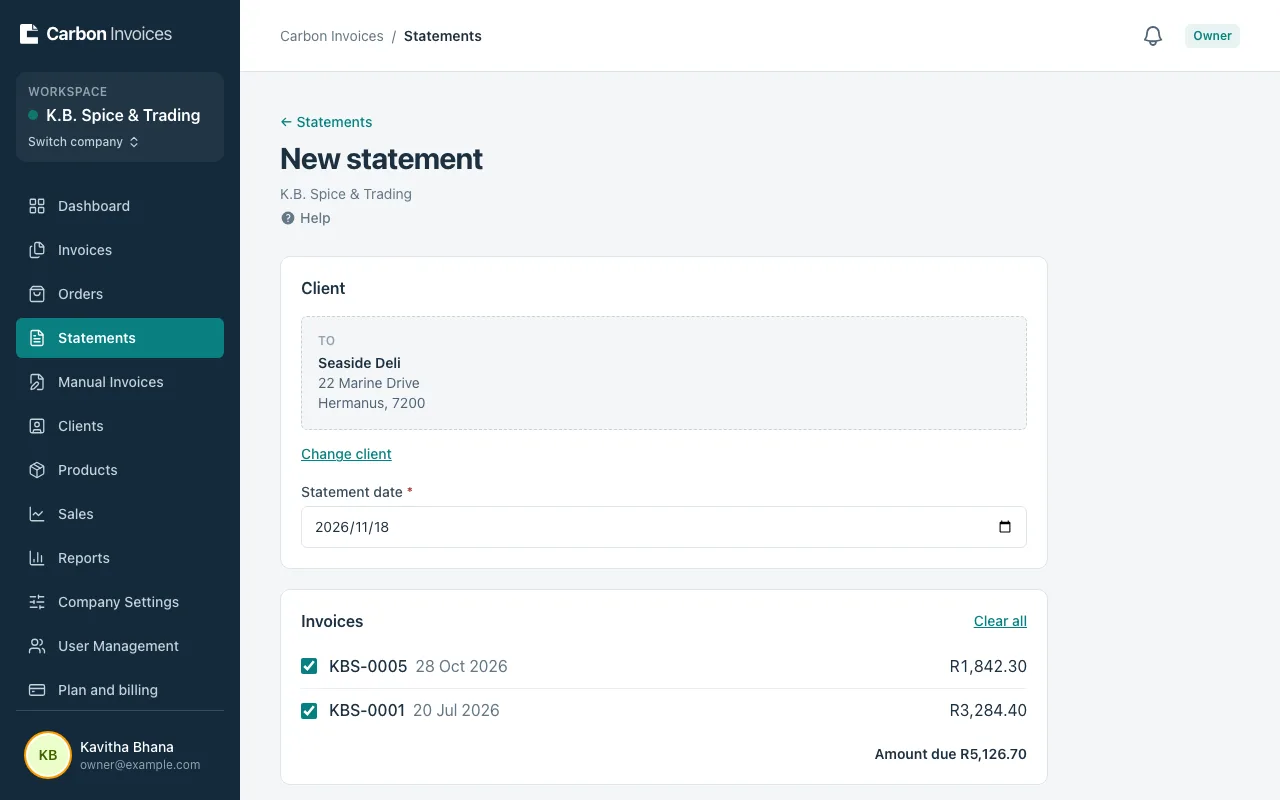
- Open Statements and choose New statement.
- Choose the Client. Their invoices from this company are listed.
- Set the Statement date.
- Tick the invoices to include, or use Select all. Cancelled invoices can’t be included.
- Choose Create statement.
The statement gets its own number and opens, ready to print or email. Next: Printing and emailing statements.
Banking details on statements: they’re printed next to the remittance slip once Print on statements is switched on under Company Settings → Banking details.