Invoices
Invoice designs
Choose how a company's invoices look: Classic, Modern, Minimal.
Each company has an invoice design. It’s used on screen, printed and in PDFs, and applies to all of the company’s invoices, including ones already issued.
| Design | Look |
|---|---|
| Classic | Ruled lines like a typed invoice book. This is where new companies start. |
| Modern | A coloured header band and a boxed table with columns, in the company’s colour. |
| Minimal | Clean and spacious, mostly black and grey. |
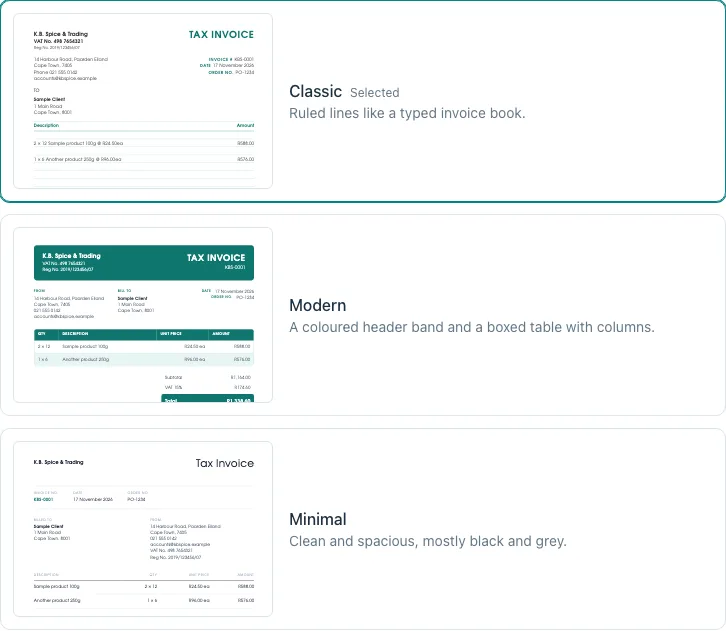
Choose a design
- Open Company Settings (Owners only).
- Under Invoice design, look at the previews and choose one.
- Choose Save changes.
The logo and colour come from the same page; see Company settings.
Retailers with their own layout
Some retailers require their own invoice layout. If one of your clients does, email support@carboninvoices.co.za and we’ll set it up for that client. Their invoices then keep that layout whichever design the company uses.