Invoices
Emailing an invoice
Send an invoice to your client as a PDF from Carbon Invoices, with replies coming back to you.
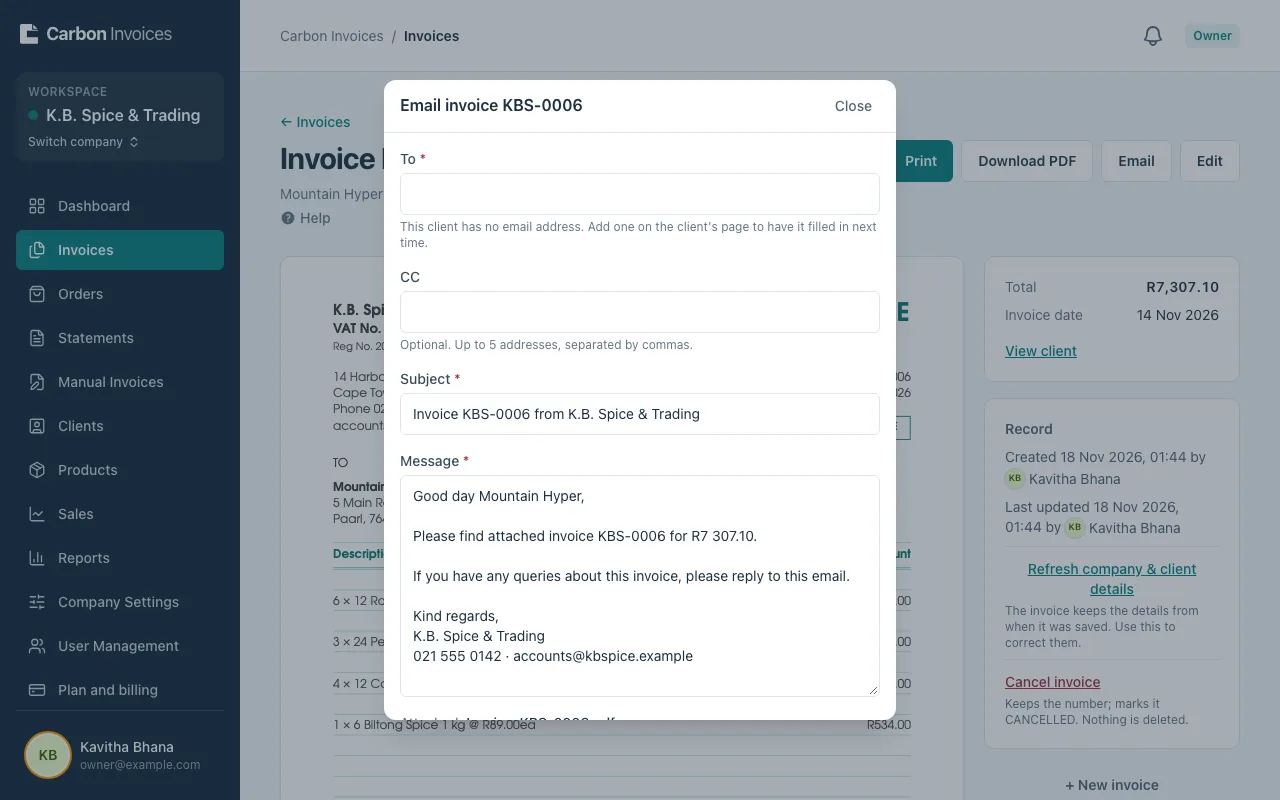
- Open the invoice and choose Email.
- Check To: it starts with the client’s email address. Add up to 5 more under CC, separated by commas.
- Change the Subject and Message if you like. The invoice is Attached as a PDF.
- Tick Send me a copy to get one yourself.
- Choose Send.
Who it comes from
The email shows as from your company “via Carbon Invoices”. When your client replies, the reply goes to the company’s email address (under Company Settings), or to yours if the company has none.
Checking what was sent
The invoice lists each email under Emailed, with who it went to and when, and the invoice list shows an Emailed mark. Statements are emailed the same way; see Printing and emailing statements.
Each business can send up to 200 emails a day. If a client says nothing arrived, see Emails not arriving.